Mar 31, 2010

Spring Explorer View in Eclipse 3.5

I am working with Spring 3.0 and I use Eclipse as my IDE. As a novice in the arena of Spring, I was pretty much curious to make use of STS! Developers who are using Spring are really fortunate to have the STS plug-in in eclipse. That is simple awesome and cool!!

The details of installation and configuration for a simple project is given below in this post. I was working at it yesterday and thought of sharing this to all since what took 4-5 hours for me would just be completed in minutes for you!

  • From Eclipse --> Help --> Install New Software and by making use of the update site SpringSource Update Site for Eclipse 3.5, I was able to configure STS in my eclipse Galilee with ease. Please find the figure below and ensure that the following are checked when you get ahead to the update site for the installation of STS
  • On clicking Next and Finish, you should be able to get through the installation within minutes!
  • After this,Restart Eclipse!
  • Once you do this, right click on your project and click Spring Tools --> add Spring Project Nature as shown below
  • On adding the Spring nature to your web application, your project in eclipse would show up as given below:
  • Further to this, go to Project --> Properties --> spring. I am considering a simple spring application. Enable Project specific settings in this window that comes up
  • In project validators tab, ensure that Spring validators and Bean validators are checked as shown below:
  • In project builders tab, ensure that AOP Reference Model Builder and Spring Bean Meta Data Builder are checked as shown below. Then click ok
  • After this, goto Beans Support under Spring as shown below. Here scan and select the list of configuration xml files that you have in your spring application.
  • Once you do this, goto Project menu --> Check the entry 'Build Automatically'
  • Now select the project in the Package Explorer and then go to Window menu --> view --> Other. Here click on Spring Explorer to see the bean and config file listing as shown below. Right click on the xml file and from the context menu, click @RequestMappings


Awesome!!You would be able to see all the request mappings within your application in a single screen view here!!!Pretty awesome and very useful indeed!!!!!The Spring Explorer view in STS is just too cool and superb!! Hats off to the Spring tool developers who did this great work in the customization of Spring Explorer view in Eclipse!

If you find the information pretty helpful, I would really be happy if you would keep me posted via the comments form displayed under this article! If you had wanted some other information related to the same topic, I would suggest you to drop a note to me using the comments form for that would help me in getting back to you with the details you are in need of!

Mar 30, 2010

Spring Framework Fundamentals: A PPT

Here is a power point presentation for those who are very new to Spring Framework. I prepared it for my use and thought of putting it up in my blog since that would be useful for some one too!!!

The spring fundamentals ppt is available in the following location.

PPT on Spring Basics

Do post in your comments if the spring basics ppt was really useful for you!

Feb 2, 2010

How to Use ORDER BY and LIMIT/TOP to limit Records in HIBERNATE?

In SQL, we have been used to writing queries with ORDER BY eother DESC or ASC. And to limit the number of resocrd retrieved from teh database, we generally use LIMIT or TOP and mention the number of records that we intend to retrieve from the database.

Being in hibernate for long, I have had situations where I would require the first record of the list. At first, when I came across such a situation,, I went ahead and wrote a named query that was as follows:

select s from Student as s where s.id in (:sIdList) and s.age=:age ORDER BY s.age DESC LIMIT 1


When I executed this query, there was absolutely no errors that were visible. As such I thought that this would work. Since I was getting a getting a single record from DB, I used the following in my DAO

<br />Student student = (Student)session.getNamedQuery("findStudent")<br />   .setInteger("age", studAge)<br />   .setParameterList("sIdList", sIdList)<br />   .uniqueResult();<br />


Even this did not show up any error till there was only one record which matched the above criteria. But if you have multiple records in the DB that matches the criteria given, then you would have the following exception

You either get a NonUniqueResult exception or ClassCastException at the DAO when multiple records match the criteria. Though the ORDER BY works, the LIMIT does not limit the number of records retrieved and as such a list of obtained from the DB instead of a single record.

So, the best way to handle such cases would be the following. You can make use of ORDER BY in the query and setMaxResults(int) in the DAO to overcome this problem and to get the first record from the list. Here is how it is:

<br />Student student = (Student)session.getNamedQuery("findStudent")<br />   .setInteger("age", studAge)<br />   .setParamterList("sIdList", sIdList)<br />   .setMaxResults(1)<br />   .uniqueResult();<br />


In this case the query should have been as follows:

<br />select s from Student as s where s.id in (:sIdList) and s.age=:age ORDER BY s.age DESC <br />


I felt that this was pretty useful and hence thought of sharing with you all!! More tips ahead! Stay tuned!

If you find the information pretty helpful, I would really be happy if you would keep me posted via the comments form displayed under this article! If you had wanted some other information related to the same topic, I would suggest you to drop a note to me using the comments form for that would help me in getting back to you with the details you are in need of!
Jan 26, 2010

Show/Hide and Disable Click of Radio Buttons in JQuery

Here is a nice code snippet that can help you really while you work with radio buttons and jquery!

When you have a group of radio buttons, you might want to hide all of them when one is selected and submitted.

Here is the code that can hide the radio buttons for you: (assuming that the name of the radio button that you give to all of them is "answers")

$('input[name="answers"]').each(function(){
$(this).hide();
});


Yet another interesting code snippet that might help you while you work with radio buttons is as given below:

There are times when you feel like disabling the click of the radio button based on certain conditions. Following code helps you in disabling the click on the radio button when the radios are actually hidden and the corresponding texts are visible. (name of the radio buttons is given as "radios")

<br />$('input[name="radios"]').each(function() {<br />$(this).click(function(){ <br />// test if radio is hidden<br />if ( $(this).is(':hidden') ) { <br /> return false;<br /> } else {<br /> return true;<br /> }<br />});<br />});<br />

How to Resolve java.lang.NoSuchMethodError: javax.persistence.Persistence.getPersistenceUtil()Ljavax/persistence/PersistenceUtil?

I had a chance to have a look the new features of Spring 3.0 today. The validation and formatting that is implemented as a part of JSR-303 implementation seems to be very exciting and interesting. Of course, it made me feel that we are moving towards codeless web based applications sooner or later!

I was very much curious to do a proof-of-concept application for this implementation. So I downloaded the Spring3.0 jars and made use of Hibernate Validator 4.0.2 GA version and validation-api-1.0.0 GA version.I had been using java 1.5

After removing all the old jars and even after implementing everything whatever was required, I was stuck with the following error

java.lang.NoSuchMethodError: javax.persistence.Persistence.getPersistenceUtil()Ljavax/persistence/PersistenceUtil


Please find the stack trace below:

<br />SEVERE: Servlet.service() for servlet springapp threw exception<br />java.lang.NoSuchMethodError: javax.persistence.Persistence.getPersistenceUtil()Ljavax/persistence/PersistenceUtil;<br /> at org.hibernate.validator.engine.resolver.JPATraversableResolver.isReachable(JPATraversableResolver.java:33)<br /> at org.hibernate.validator.engine.resolver.DefaultTraversableResolver.isReachable(DefaultTraversableResolver.java:95)<br /> at org.hibernate.validator.engine.resolver.SingleThreadCachedTraversableResolver.isReachable(SingleThreadCachedTraversableResolver.java:47)<br /> at org.hibernate.validator.engine.ValidatorImpl.isValidationRequired(ValidatorImpl.java:761)<br /> at org.hibernate.validator.engine.ValidatorImpl.validateConstraint(ValidatorImpl.java:331)<br /> at org.hibernate.validator.engine.ValidatorImpl.validateConstraintsForRedefinedDefaultGroup(ValidatorImpl.java:278)<br /> at org.hibernate.validator.engine.ValidatorImpl.validateConstraintsForCurrentGroup(ValidatorImpl.java:260)<br /> at org.hibernate.validator.engine.ValidatorImpl.validateInContext(ValidatorImpl.java:213)<br /> at org.hibernate.validator.engine.ValidatorImpl.validate(ValidatorImpl.java:119)<br /> at org.springframework.validation.beanvalidation.SpringValidatorAdapter.validate(SpringValidatorAdapter.java:74)<br /> at org.springframework.validation.DataBinder.validate(DataBinder.java:684)<br /> at org.springframework.web.bind.annotation.support.HandlerMethodInvoker.doBind(HandlerMethodInvoker.java:746)<br /> at org.springframework.web.bind.annotation.support.HandlerMethodInvoker.resolveHandlerArguments(HandlerMethodInvoker.java:296)<br /> at org.springframework.web.bind.annotation.support.HandlerMethodInvoker.invokeHandlerMethod(HandlerMethodInvoker.java:163)<br /> at org.springframework.web.servlet.mvc.annotation.AnnotationMethodHandlerAdapter.invokeHandlerMethod(AnnotationMethodHandlerAdapter.java:414)<br /> at org.springframework.web.servlet.mvc.annotation.AnnotationMethodHandlerAdapter.handle(AnnotationMethodHandlerAdapter.java:402)<br /> at org.springframework.web.servlet.DispatcherServlet.doDispatch(DispatcherServlet.java:771)<br /> at org.springframework.web.servlet.DispatcherServlet.doService(DispatcherServlet.java:716)<br /> at org.springframework.web.servlet.FrameworkServlet.processRequest(FrameworkServlet.java:647)<br /> at org.springframework.web.servlet.FrameworkServlet.doPost(FrameworkServlet.java:563)<br /> at javax.servlet.http.HttpServlet.service(HttpServlet.java:637)<br /> at javax.servlet.http.HttpServlet.service(HttpServlet.java:717)<br /> at org.apache.catalina.core.ApplicationFilterChain.internalDoFilter(ApplicationFilterChain.java:290)<br /> at org.apache.catalina.core.ApplicationFilterChain.doFilter(ApplicationFilterChain.java:206)<br /> at org.apache.catalina.core.StandardWrapperValve.invoke(StandardWrapperValve.java:233)<br /> at org.apache.catalina.core.StandardContextValve.invoke(StandardContextValve.java:191)<br /> at org.apache.catalina.core.StandardHostValve.invoke(StandardHostValve.java:128)<br /> at org.apache.catalina.valves.ErrorReportValve.invoke(ErrorReportValve.java:102)<br /> at org.apache.catalina.core.StandardEngineValve.invoke(StandardEngineValve.java:109)<br /> at org.apache.catalina.connector.CoyoteAdapter.service(CoyoteAdapter.java:293)<br /> at org.apache.coyote.http11.Http11Processor.process(Http11Processor.java:849)<br /> at org.apache.coyote.http11.Http11Protocol$Http11ConnectionHandler.process(Http11Protocol.java:583)<br /> at org.apache.tomcat.util.net.JIoEndpoint$Worker.run(JIoEndpoint.java:454)<br /> at java.lang.Thread.run(Thread.java:595)<br />


It was almost 6-8 hours, I kept trying to do away with this problem since a colleague of mine seemed to get away with it in java 1.5. The following were the pointers that I understood as a result of my research googling the Internet!
  • The org.springframework.validation.beanvalidation.LocalValidatorFactoryBean while calling the SpringValidatorAdapter's validate(), invokes the Hibernate validator's ValidatorImpl.validate() method.
  • The hibernate validoator 4.0.2 GA version has a very strong dependency on JDK6 which contains the Persistence class with javax.persistence.Persistence.getPersistenceUtil()
So,I finally upgraded my machine to Java 6. It was just a miracle. Everything started working without problems and errors disappeared!!!


Jan 5, 2010

Resource Out of Sync With the File System in Eclipse: How To fix?

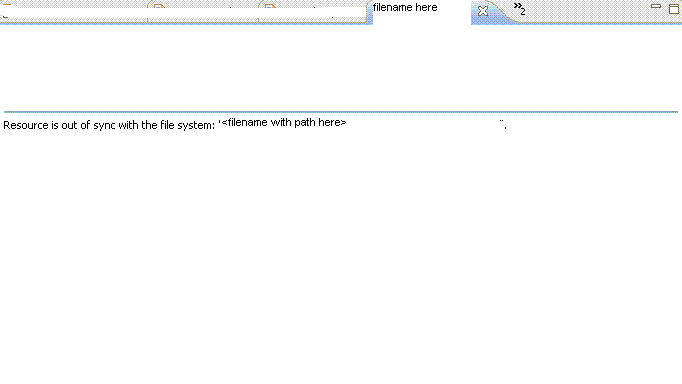
If you come across the error 'Resource out of sync with the file system' while working with eclipse, you can fix it within a minute. Get to know the root cause and you can fix it within minutes.


Root cause of 'Resource out of sync with the file system'

It is likely that you would have edited the file from outside eclipse environment and hence when you try to access the file from eclipse after this, you would get this problem.

Solution for 'Resource out of sync with the file system'

  1. Right click on the file from within eclipse.
  2. Click Refresh
  3. Now try to open the file in eclipse again.
  4. Error  is gone!
  5. You can got Windows. Point to Preferences. Click on General. Go to Workspace and check the box ' Refresh Automatically' as shown in the figure below. The problem 'Resource out of sync with the file system' would never pop in again!


(function($){ }) JQuery : What It Really Is?

Today I happen to use the code snippet


(function($){ })(jQuery);


But, for around an hour, I was wondering as to what the above function really does? what is the use of wrapping functions like


$(this).submit(function(){}
$(document).ready(function(){} 


inside the above?

After a bit of research, I understood what it really does and that is awesome. This post further gives you a heads up on what


(function($){ })(jQuery);


is in detail.

The $ in


(function($){ })(jQuery);


can be considered to be prototype reference outside the function call. This $ becomes a jquery reference inside the function. as a result, even if this $ variable or function is being used by any other javascript library, this reference overwrites all and proves to be a nice jquery reference well within the function.

Generally you can expect to see all JQuery plug-ins to be written inside this function where $ is being passed as a parameter. Before we take a look at jQuery plug-ins, consider the code snippet below:


var userDefinedFunction = function ($) { 
  //your code here
};
userDefinedFunction (jQuery);

is equivalent to


(function ($) { 
    //your code here
})(jQuery)


Having discussed this, let me give you ahead up on writing customized plug-ins. Just follow the steps below and your customized JQuery plug-in is ready!

  1. Let us consider that we write a plugin by name sample.
  2. You have to have a file jquery.sample.js
  3. Within the file we can have methods for the plug-in. For this, you need to extend the JQuery object as follows:
  4. (function($){  
    $.fn.sample = function() {});
  5. You can now access this function using the below code in your html file:
  6. <script language="javascript" type="text/javascript">
                $('#<form name>').sample();
    </script>
    
  7. Default settings for this plug-in is created by using the code


    $.fn.sample = function(options) 
    {var defaults = {inputVal: 1, trueVal : 'true', falseVal : 'false',submitButton : '#submit'}
    var pluginOptions = $.extend(defaults, options);


  8. If ever you intend to call this function with new values which are different from the default values, use the following snippet and get it done!
  9. <script language="javascript" type="text/javascript">
                $('#<form name>').sample({inputVal:2, trueVal:'yes',falseVal:'no', submitButton:'#ClickMe');
    </script>
    
  10. As such, this was a nice learning and a great heads up on JQuery plug-ins!But, there are much more interesting tips to come! Stay tuned!